

Diagram editor for AI architectures
Holds your AI stack together.
Draw the architecture of your AI application from typed building blocks. LLMs, vector DBs, agents, MCP servers, guardrails. Then share a fixed link.
Example diagram: Support agent with RAG
Block catalog
13 categories. Typed, not doodled.
Every node knows what it is: model, vector DB, agent, guardrail. With an icon, a category label and, if you like, the vendor's logo.
- Client
Web app, mobile app, CLI, Slack bot
- Backend
API server, serverless, worker, queue
- Orchestration
Agent, agent loop, workflow, router
- Models
LLM, embedding, reranker
- Gateway
AI gateway, model router, cache
- Retrieval
Vector DB, hybrid search, chunker
- Data
Relational DB, object storage, external API
- Tools
MCP server, function tool, code sandbox
- Memory
Short- and long-term memory, session store
- Security
Guardrails, PII filter, auth
- Quality
Evals, tracing, prompt registry
- Human
End user, human in the loop
- Generic
Box, group, note
From blank grid to link in three steps.
- 01
Tape it together
Drag blocks from the catalog onto the canvas, connect them and label the edges. It saves automatically.
- 02
Publish
One click turns your draft into a snapshot at a fixed URL. Your draft stays private until you publish again.
- 03
Share the link
Send the link to your team, your docs or your client. It opens without an account, with zoom and export as PNG or SVG.
Reference architectures
Start from a diagram that already holds.
Ten common AI architectures, drawn with the same building blocks you get in the editor. Open one, zoom in, export it.
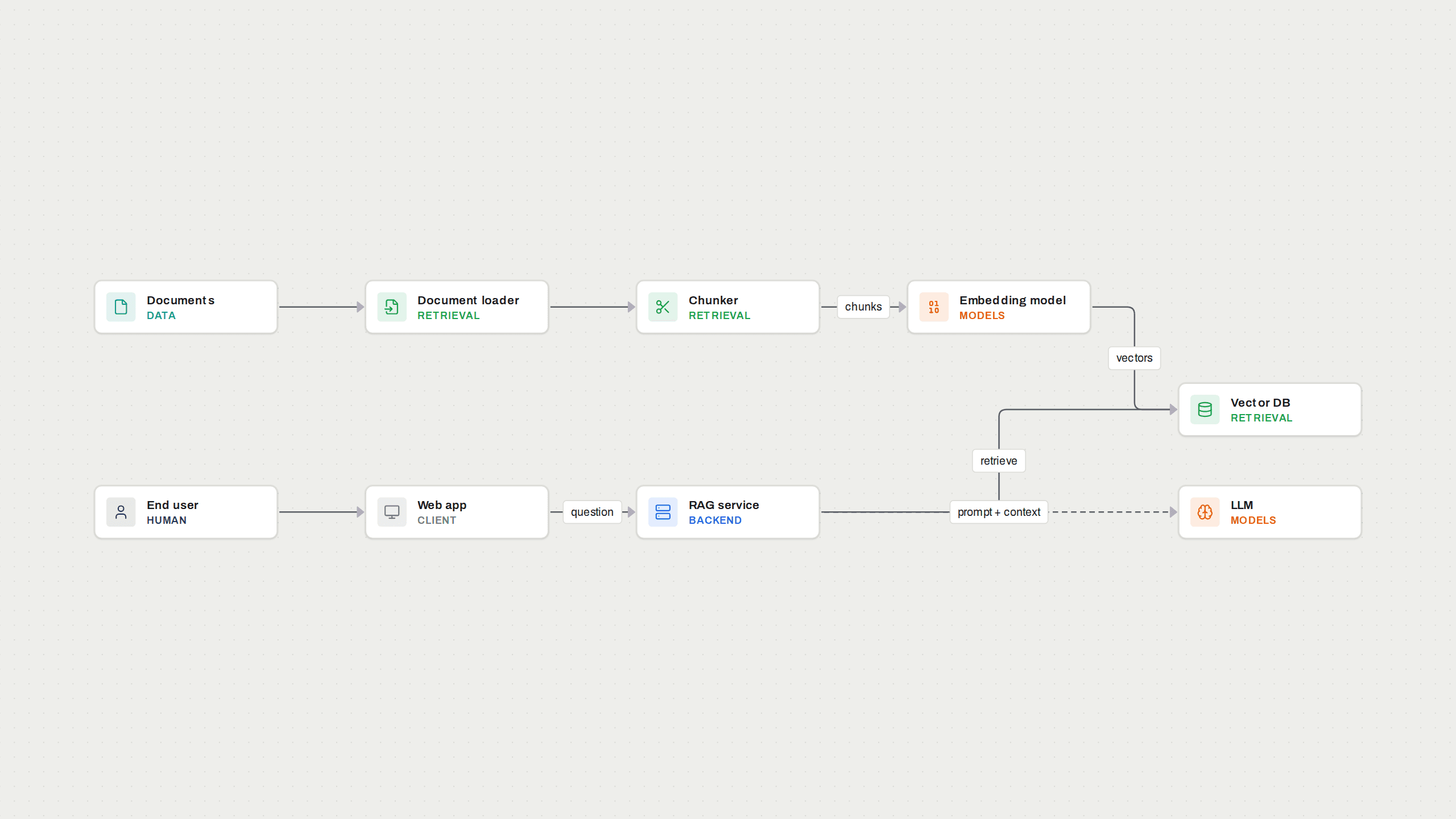
RAG architecture
Retrieval-augmented generation in its basic form: ingest documents, retrieve context, prompt the model.
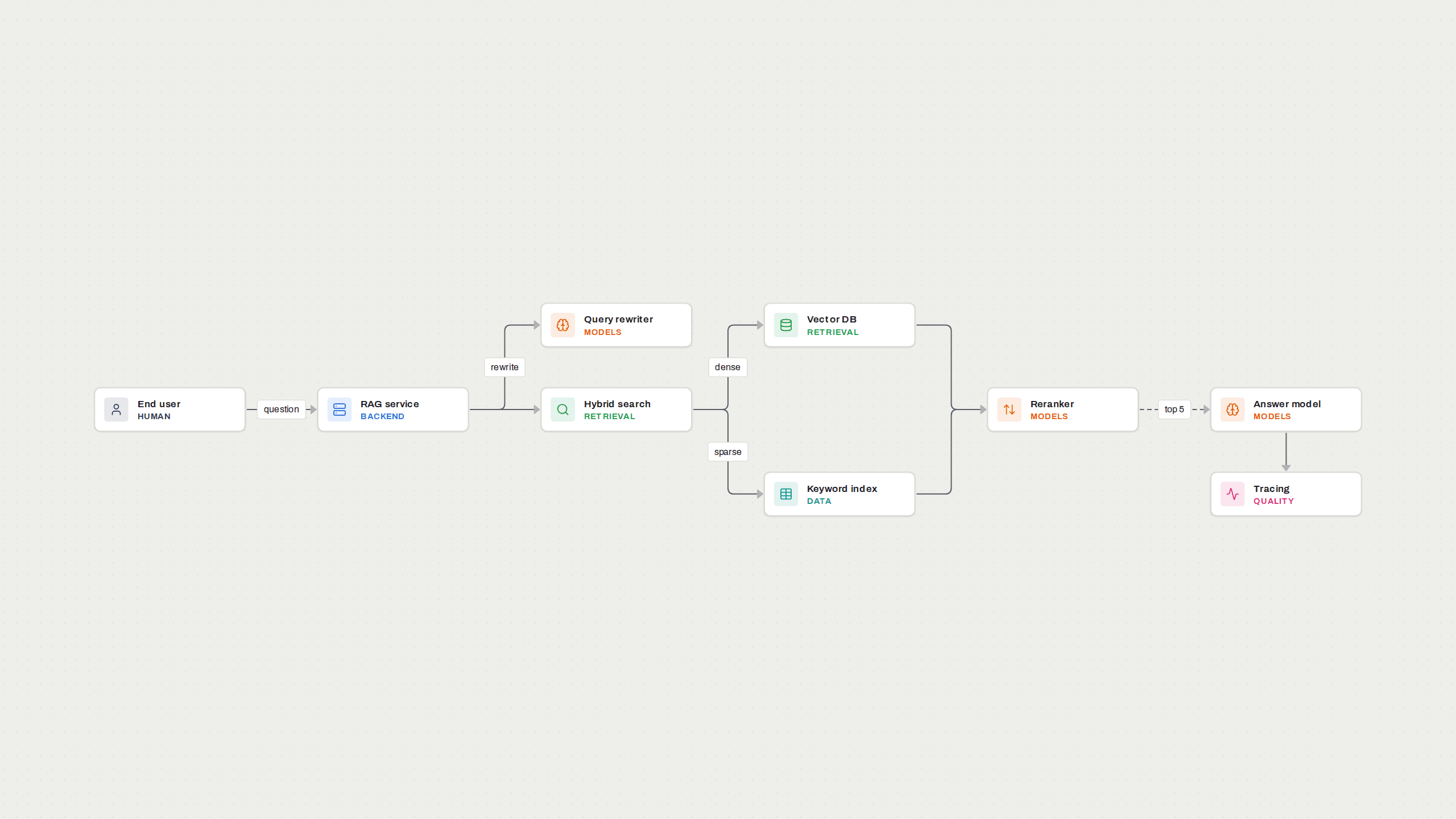
Advanced RAG with hybrid search and reranking
Dense and keyword retrieval combined, then a reranker that keeps only the best passages.
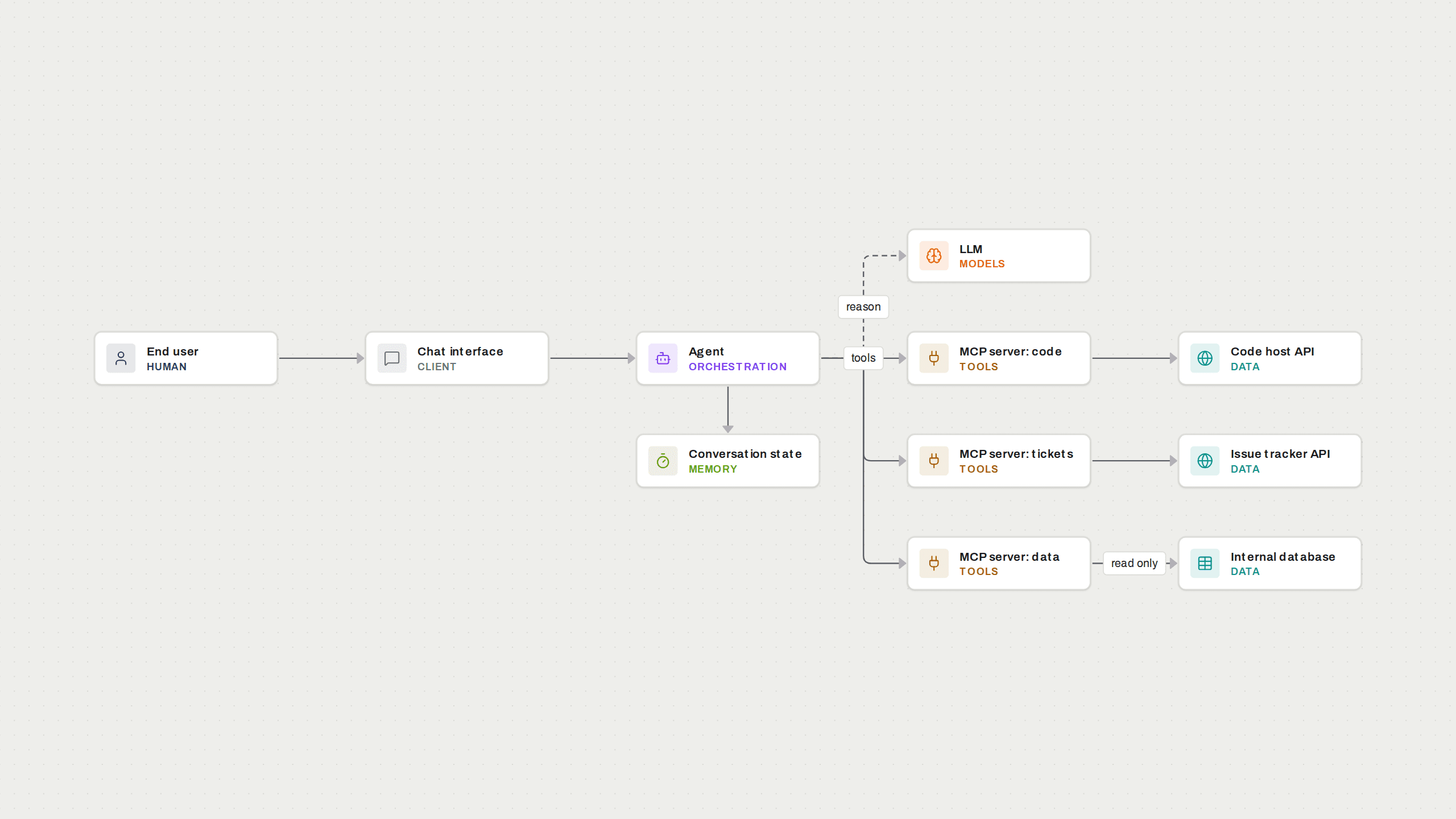
AI agent with MCP servers
An agent that reaches its tools through the Model Context Protocol, one server per system.
Made for people who have to explain an AI system.
AI engineers
Put the stack on one page before the design review, and keep the link in the README.
Solution architects
Show customers which model, which data and which guardrails are involved, without a slide deck.
Consultants and agencies
Send a link instead of a screenshot. Update it after the workshop; the URL stays the same.
Tech leads
Give the team one current picture of how the agents, tools and data stores fit together.
Questions people ask first.
- What does DuctTape.io cost?
- Nothing. You can create up to 200 diagrams with a free account.
- Do viewers need an account?
- No. A published link opens in the browser, with zoom and export as PNG or SVG.
- Who can see my diagrams?
- Only you, until you publish. Public is the snapshot you published, not your draft. You can withdraw the link at any time.
- How is this different from Excalidraw, Miro or draw.io?
- Those tools draw rectangles. Here every node knows what it is: a model, a vector database, an agent, an MCP server, a guardrail. That keeps diagrams consistent and readable.
- Can I export my diagrams?
- Yes, as PNG or SVG from the editor and from every public link. Your data can be exported as JSON in the settings.
- Where is my data stored?
- In a database in Frankfurt. Details are in the privacy notice.
AI stacks are often held together with tape. At least show where it sticks.
Create your first diagram and pass the link on.
Start taping